Home
Sign Up
Sign In
V2EX
›
分享发现
Arc 浏览器「画板」功能的正确用法 🔥
mopig
·
Apr 23, 2023
· 2780 views
This topic created in 1290 days ago, the information mentioned may be changed or developed.
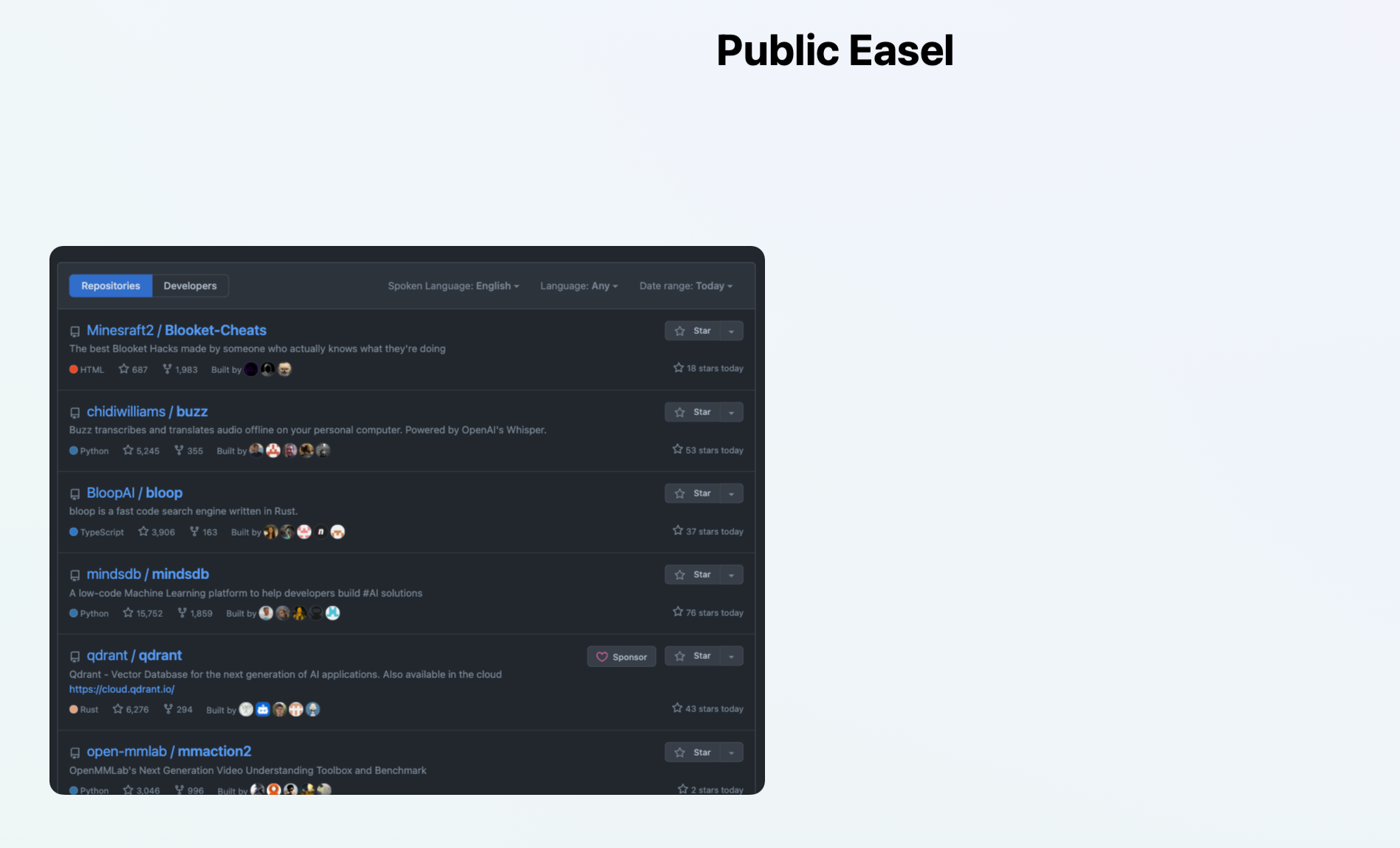
实现效果如下图:
可以共同编辑 /查看
里面的排行榜是自动更新的
可以添加添加任何 Web 页面
给一个可以公共编辑的链接
添加方法
添加
画板
arc
用法
6 replies
•
2023-05-20 13:50:39 +08:00
neptuno
Apr 23, 2023
1
原来是这么用的。。。真不错呀,用上了,把各个邮箱放在一起了
LavaC
Apr 24, 2023
2
貌似网页被截图时的快照是不会更新的,只有笔记作者在点击播放按扭时网页才是实时的,但也不会因此更新最新的展示图。
mopig
OP
Apr 24, 2023
3
@
LavaC
这个播放按钮只需要点一次,后面会一直更新的。
LavaC
Apr 25, 2023
4
@
mopig
暂停后展示图也不会更新啊,又回到之前的样子。我专门截了个时间显示网站的内容,无论后续怎么拉扯播放,时间都只会回到我截图的那一刻。
eachann
May 18, 2023
5
arc 浏览器界面怎么设置为中文呀
mopig
OP
May 20, 2023
6
@
eachann
目前好像只支持英文
About
·
Help
·
Advertise
·
Blog
·
API
·
FAQ
·
Privacy
·
Solana
·
1681 Online
Highest 6679
·
Select Language
创意工作者们的社区
World is powered by solitude
VERSION: 3.9.8.5 · 30ms ·
UTC 23:37
·
PVG 07:37
·
LAX 15:37
·
JFK 18:37
♥ Do have faith in what you're doing.
❯




 Select Language