vivaxy

VSCode Conventional Commits 插件

  •  
  •   vivaxy · Jun 9, 2020 · 3675 views
    This topic created in 2340 days ago, the information mentioned may be changed or developed.

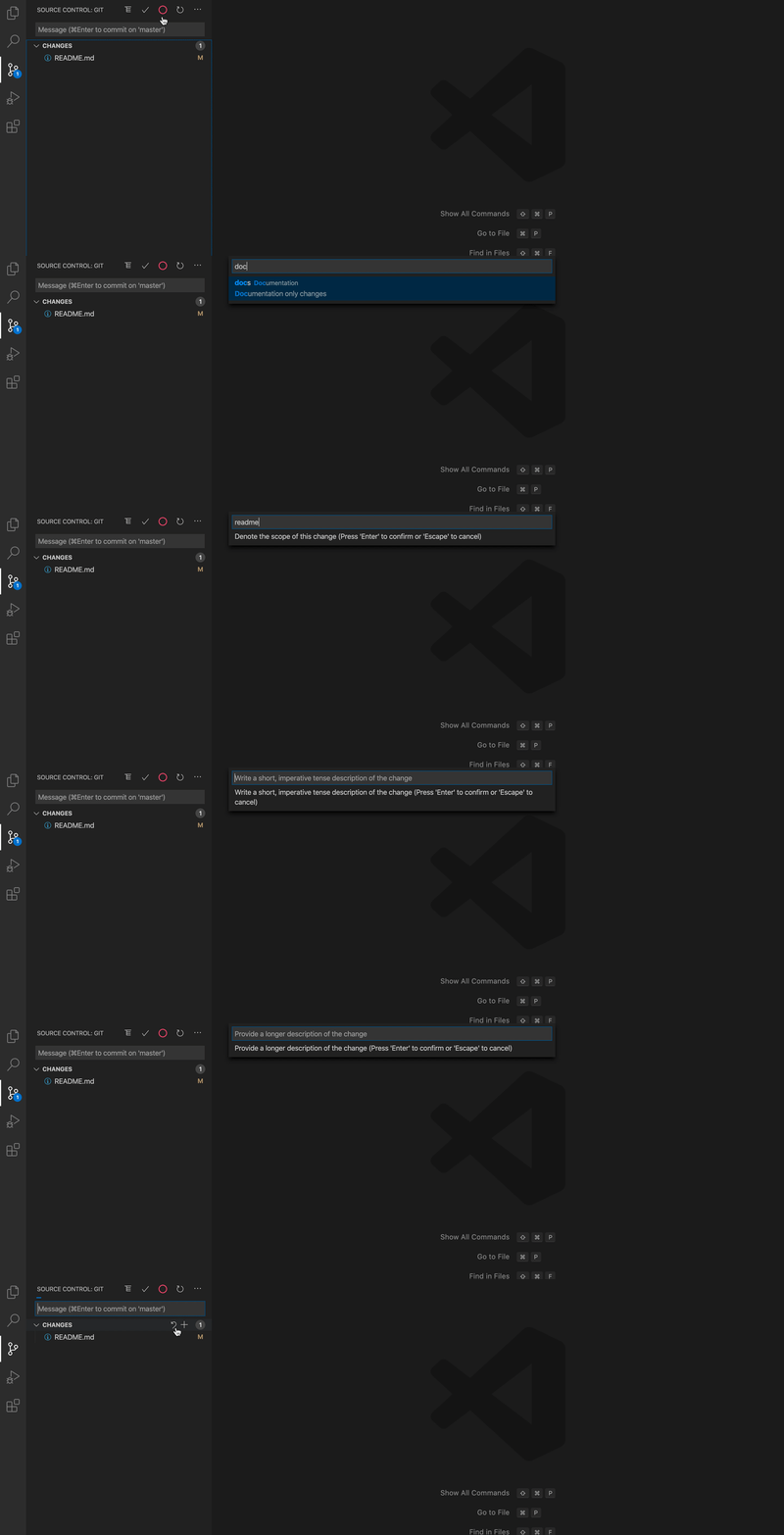
    VSCode Conventional Commits 插件可以帮助你轻松按照 Conventional Commits 规范编写提交信息。

    功能

    • 支持使用项目下的 commitlint 规范。
    • 支持自动 add 和 push (需要结合 VSCode 的 git 插件,详见插件文档)。
    • 支持项目级别的 scope 管理。
    • 支持 Gitmoji 。

    使用方式

    示例

    你可以通过下面两种方式打开插件:

    1. Command + Shift + P 或 Ctrl + Shift + P,输入 Conventional Commits,然后按 Enter。
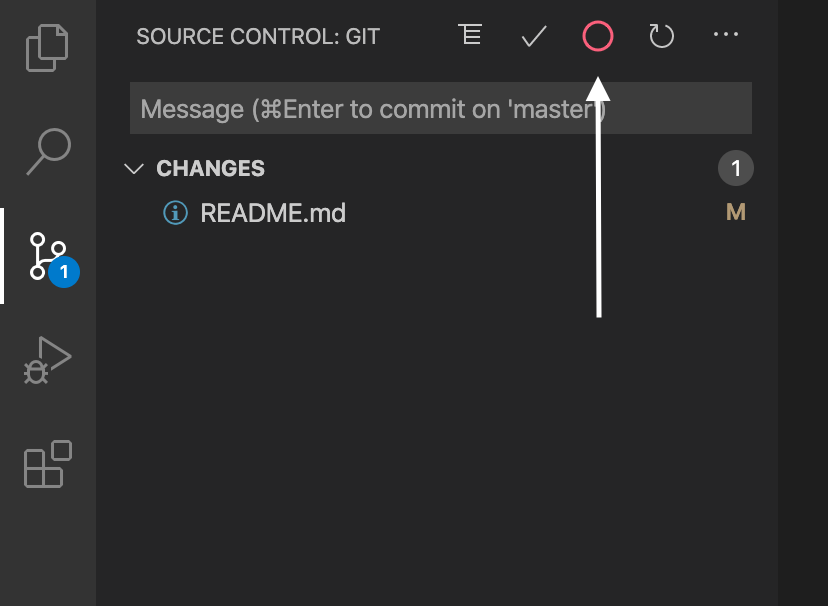
    2. 点击 Source Control 操作面板上的图标。见下图:
    操作面板上的图标
    5 replies  •  2020-06-09 13:54:28 +08:00
    Akagi201
    Akagi201
    Jun 9, 2020
    1
    感谢分享, 我一直用这个规范
    Exin
    Exin
    Jun 9, 2020
    2
    不错,虽然我已经持续按这套规范手写好多年了
    NCZkevin
    NCZkevin
    Jun 9, 2020
    3
    可以,一直用这个,可以省下手写
    micolore
    micolore
    Jun 9, 2020
    4
    我现在是在项目里面加的配置文件,进行配置的,比较灵活。
    chen90902
    chen90902
    Jun 9, 2020
    5
    挺好用的,支持一个
    About   ·   Help   ·   Advertise   ·   Blog   ·   API   ·   FAQ   ·   Privacy   ·   Solana   ·   3951 Online   Highest 6679   ·     Select Language
    创意工作者们的社区
    World is powered by solitude
    VERSION: 3.9.8.5 · 52ms · UTC 05:35 · PVG 13:35 · LAX 21:35 · JFK 00:35
    ♥ Do have faith in what you're doing.